> ## Documentation Index
> Fetch the complete documentation index at: https://manual.seahorse.dnotitia.ai/llms.txt
> Use this file to discover all available pages before exploring further.
> 테이블을 삭제합니다 . 삭제된 테이블은 복구할 수 없으며 , 모든 데이터 , 인덱스 , Arrow Schema 가 영구 삭제됩니다
# Table delete
# Table 삭제
테이블을 삭제합니다 . 삭제된 테이블은 복구할 수 없으며 , 모든 데이터 , 인덱스 , Arrow Schema 가 영구 삭제됩니다 .
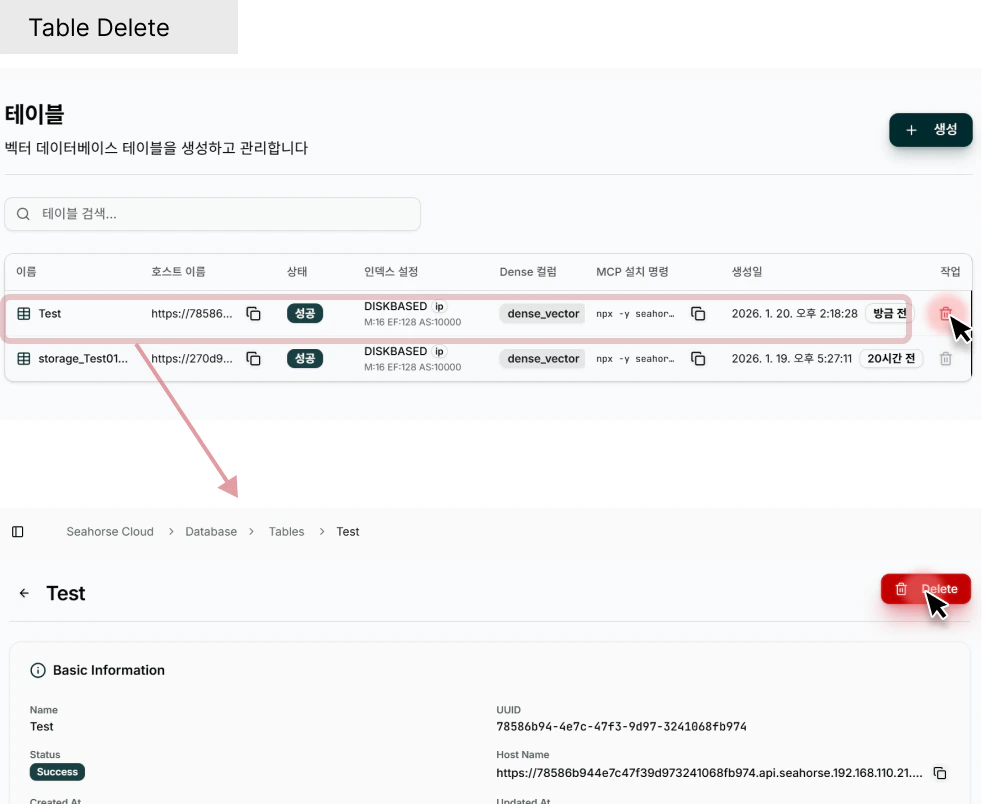 **경로**:
1. Console → **Database** → **Tables** → 테이블 카드의 **Delete** 버튼
2. Console → **Database** → **Tables** → 테이블 선택 → 우측 상단 햄버거 메뉴 → **Delete Table**
삭제 다이얼로그 :
**경로**:
1. Console → **Database** → **Tables** → 테이블 카드의 **Delete** 버튼
2. Console → **Database** → **Tables** → 테이블 선택 → 우측 상단 햄버거 메뉴 → **Delete Table**
삭제 다이얼로그 :
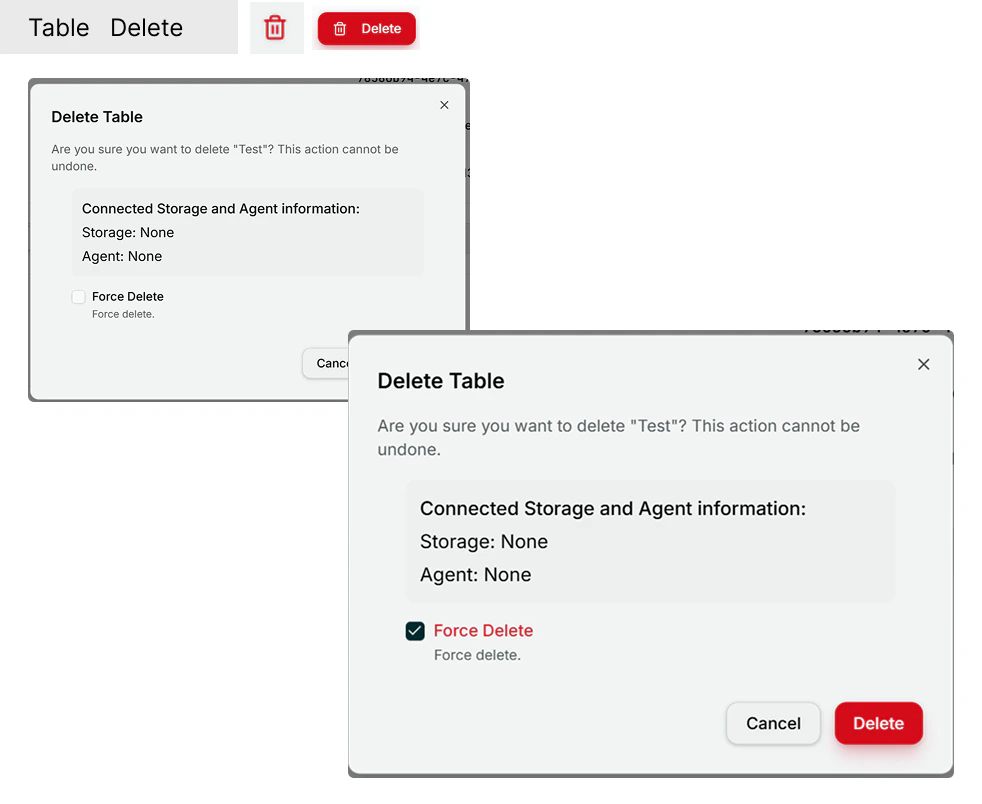 1. **영구 삭제** : 테이블 삭제는 되돌릴 수 없습니다 . 삭제 후에는 복구가 불가능합니다 .
2. **모든 데이터 삭제** : 테이블과 함께 모든 레코드 , 벡터 인덱스 , Arrow Schema 가 영구 삭제됩니다 .
1. **영구 삭제** : 테이블 삭제는 되돌릴 수 없습니다 . 삭제 후에는 복구가 불가능합니다 .
2. **모든 데이터 삭제** : 테이블과 함께 모든 레코드 , 벡터 인덱스 , Arrow Schema 가 영구 삭제됩니다 .