> ## Documentation Index
> Fetch the complete documentation index at: https://manual.seahorse.dnotitia.ai/llms.txt
> Use this file to discover all available pages before exploring further.
> AGENT 삭제
# Agent delete
# Agent 삭제
## 화면 구성
삭제 확인 다이얼로그가 표시되며, **이름 입력** 또는 **확인** 절차를 거쳐 최종 삭제됩니다.
## 절차
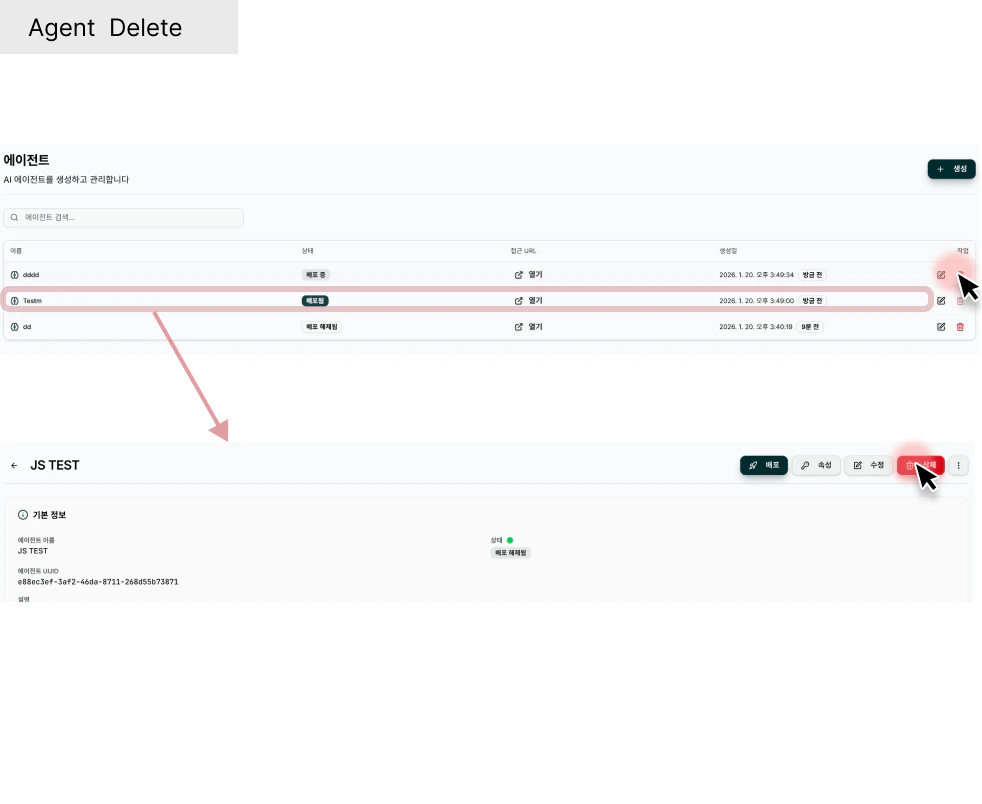
1. 목록 또는 상세에서 **\[삭제]** 버튼 클릭
2. 확인 다이얼로그에서 대상 이름 재입력 또는 체크
3. **\[삭제 확인]** 클릭
삭제된 항목은 복구할 수 없습니다. 연결된 리소스(에이전트/도구 등) 영향을 먼저 확인하세요.
## 경로
**경로**: Console → **Agent Ops** → **Agent** → 목록에서 행의 **Delete** 버튼
 ## 삭제 프로세스
* 에이전트를 삭제합니다.
* Delete 버튼 클릭
## 삭제 프로세스
* 에이전트를 삭제합니다.
* Delete 버튼 클릭
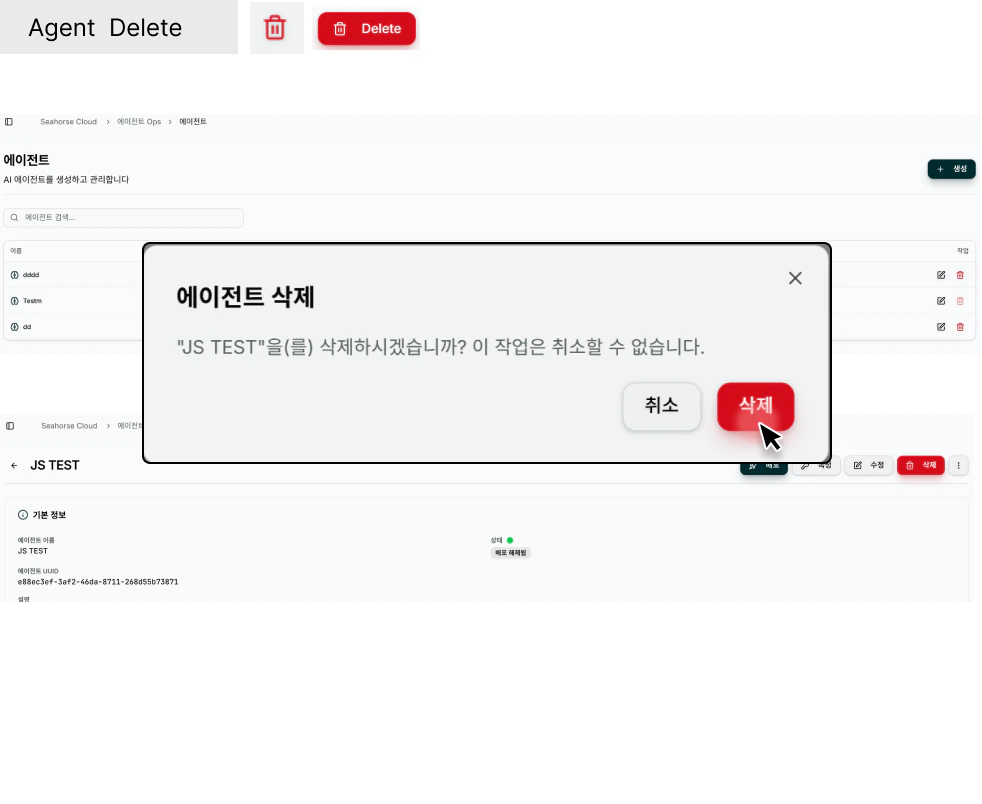 **배포(Ready) 상태의 에이전트를 삭제** 하면 Agent URL 이 즉시 404 가 됩니다. 외부 서비스·Slack 봇·Slack Canvas 링크에 URL 이 박혀 있다면 먼저 교체하세요.