> ## Documentation Index
> Fetch the complete documentation index at: https://manual.seahorse.dnotitia.ai/llms.txt
> Use this file to discover all available pages before exploring further.
> AI 이미지 생성·편집. 프롬프트 또는 기존 이미지 업로드 후 변형
# Image gen
# Image Generation
**경로**: 하단 툴바 **\[8] Image Generation** **패널 위치**: 하단 툴바 \[8]\\
 ## 기능 개요
AI 이미지 생성·편집. 프롬프트 또는 기존 이미지 업로드 후 변형.
## UI
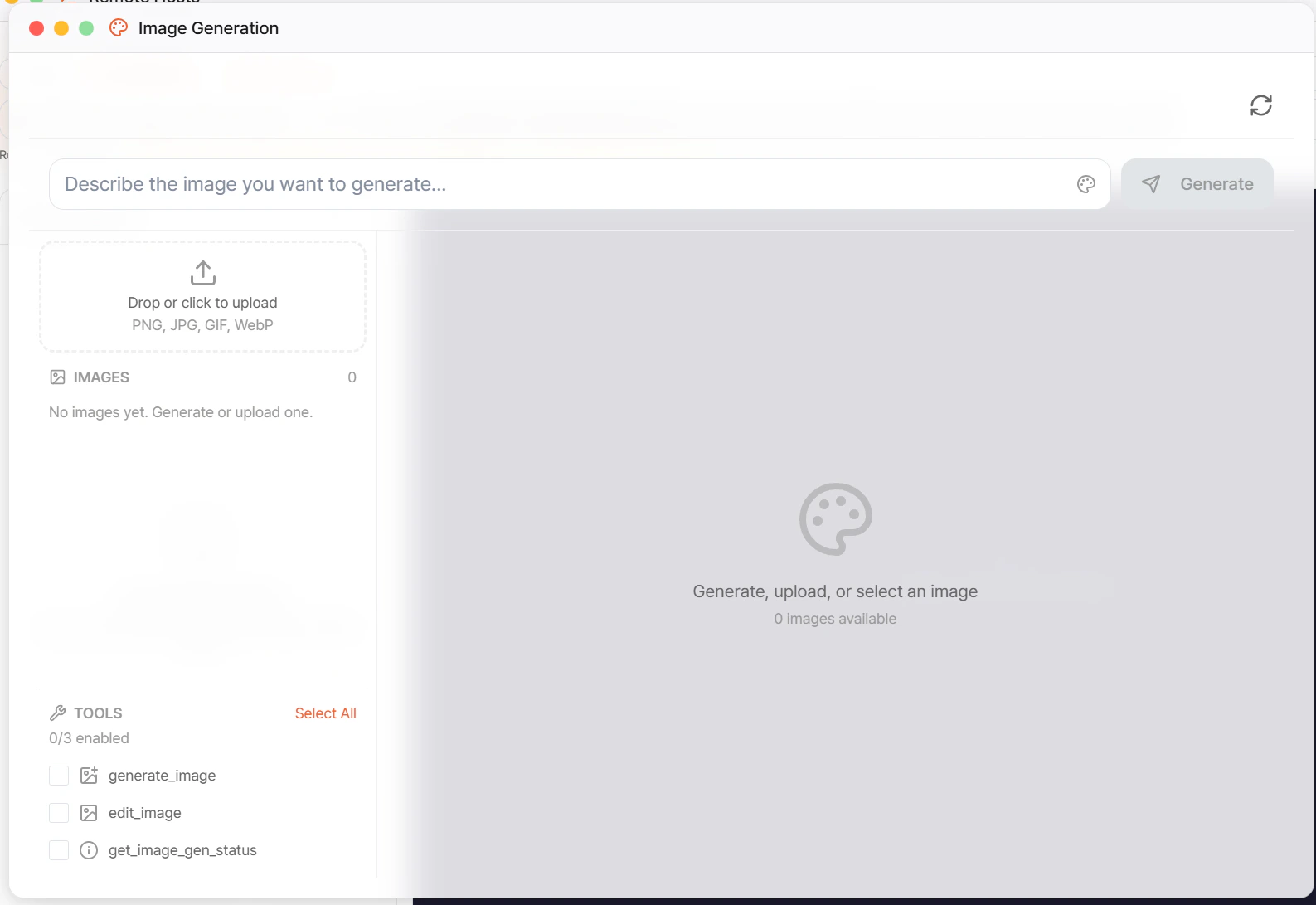
* **프롬프트 입력 + \[Generate]**
* **이미지 업로드**: PNG, JPG, GIF, WebP
## 제공 도구 (3개)
| 도구 | 용도 |
| ---------------------- | ----------------- |
| `generate_image` | 텍스트 프롬프트 → 이미지 |
| `edit_image` | 기존 이미지 + 프롬프트로 편집 |
| `get_image_gen_status` | 비동기 작업 상태 조회 |
## 지원 모델
* OpenAI: DALL-E 3, gpt-image-1
* Anthropic: (실험) Claude Vision editing
* (확장) Stability, Midjourney via API gateway
생성된 이미지는 Temp Files의 `generated_images/` 에 저장됩니다.
## 기능 개요
AI 이미지 생성·편집. 프롬프트 또는 기존 이미지 업로드 후 변형.
## UI
* **프롬프트 입력 + \[Generate]**
* **이미지 업로드**: PNG, JPG, GIF, WebP
## 제공 도구 (3개)
| 도구 | 용도 |
| ---------------------- | ----------------- |
| `generate_image` | 텍스트 프롬프트 → 이미지 |
| `edit_image` | 기존 이미지 + 프롬프트로 편집 |
| `get_image_gen_status` | 비동기 작업 상태 조회 |
## 지원 모델
* OpenAI: DALL-E 3, gpt-image-1
* Anthropic: (실험) Claude Vision editing
* (확장) Stability, Midjourney via API gateway
생성된 이미지는 Temp Files의 `generated_images/` 에 저장됩니다.